


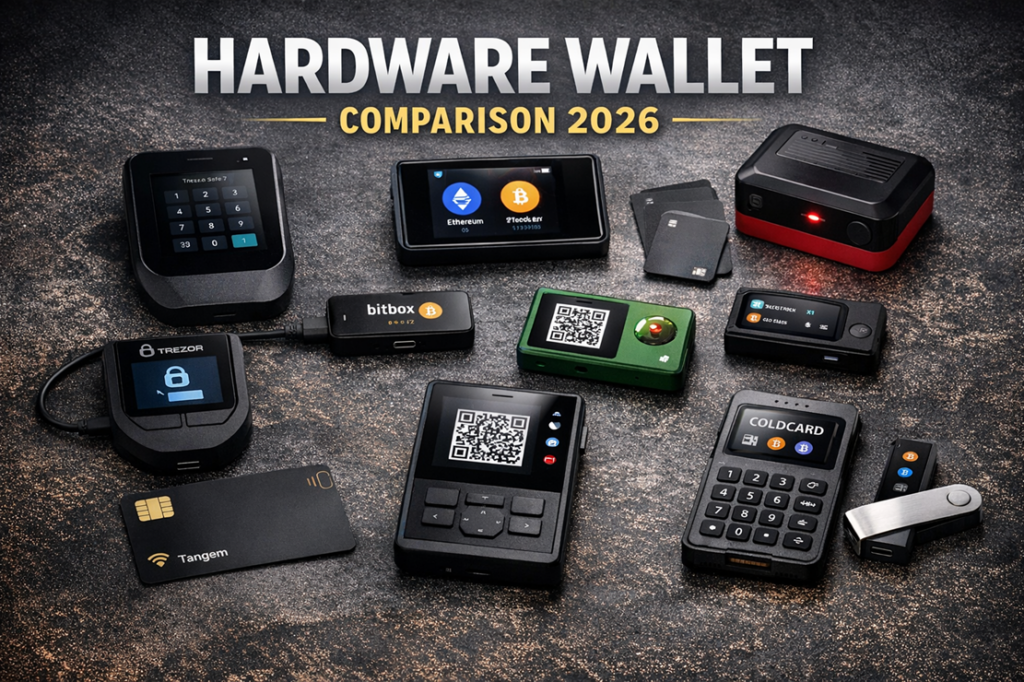
Choosing the best hardware wallet in 2026 is no longer just about buying a device that keeps keys offline. A serious hardware wallet test now has to examine the full signing environment: what the device can verify on-screen, how it connects to companion software, how recovery works if something goes wrong, and what your real-world exposure looks like after you order a physical wallet to your home address. That last point matters more than ever. Several major vendors have dealt with customer-data incidents that did not compromise private keys directly, but did create long-running phishing and social-engineering risk for buyers.
What Matters Most in a Hardware Wallet Test in 2026
The first thing to watch in any serious hardware wallet test is transaction verification. The most important question is simple: can you reliably understand what you are approving on the device itself? The industry often calls this clear signing. In practice, it means the wallet displays readable transaction details instead of asking you to approve opaque blobs or incomplete contract data. This becomes especially important in DeFi and NFT-heavy environments, where wallet drains often depend on users signing approvals they do not fully understand.
The second checkpoint is the security model. Some wallets rely mainly on a general-purpose microcontroller, while others combine that with one or more secure elements. Secure elements can improve resistance to physical extraction, but they also raise questions about openness, auditability, and vendor trust. In 2026, buyers should not reduce the debate to “secure element good, open-source good.” The better question is how the vendor balances physical security, firmware transparency, attestation, and recovery design. Trezor, for example, now pushes a hybrid model with open-audit ambitions plus secure elements. Ledger continues to lean hard into certified secure elements and its own secure operating environment. BitBox, Keystone, Cypherock, and Tangem all take different positions on that spectrum.
Third, you need to think carefully about connectivity. The old conversation used to be USB versus Bluetooth. That is too shallow now. What really matters is whether you can choose a low-trust workflow for high-value operations. QR-based air-gapped signing and microSD-based workflows can reduce reliance on a live connection, but they also add friction and narrow your software options. USB is often the simplest and most robust route. Bluetooth can be convenient, particularly for phone-first users, but some security-first buyers still prefer to avoid it entirely for larger balances.
Fourth, recovery design matters just as much as signing. Standard BIP39 seed phrases remain the default across much of the market, but the backup landscape is wider now. Some vendors support Shamir-style split backups. Some keep to conventional seed phrases with optional passphrases. Cypherock takes a more radical approach by splitting key material into multiple physical components so there is no single paper seed phrase acting as the obvious failure point. Tangem goes in another direction by duplicating the same wallet across multiple cards. These designs solve different problems, and buyers should not treat them as interchangeable.
Fifth, multisig support should be examined as a real workflow, not a marketing checkbox. Many wallets can participate in multisig, but that does not mean they support it equally well. Serious buyers should check which coordinators are supported, whether multisig setup is native or third-party, whether wallet policy can be reviewed clearly on the device, and whether the vendor fits well in a multi-vendor quorum. For larger holdings, a good multisig setup often benefits from signer diversity rather than buying three devices from the same company.
Sixth, supply-chain assurance still matters. Packaging helps against crude tampering, but modern buyers should pay closer attention to attestation and authenticity checks performed by the wallet or companion app. A proper authenticity flow can help detect counterfeits or malicious clones far more effectively than plastic wrap or stickers alone.
Seventh, firmware policy and trust model deserve scrutiny. Does the vendor document how updates are signed and verified? Can users independently verify firmware provenance? Is there anti-rollback protection? Is the firmware fully open source, partly open, or mostly closed? These questions are not just for paranoid users. They directly affect how much trust you are placing in the vendor over time.
Eighth, price should be evaluated honestly. The sticker price is only part of the cost. A wallet that looks cheap at checkout can become expensive once you add steel backups, extra devices for multisig, secure storage, or travel redundancy. In March 2026, official list pricing ranged from under $70 for Tangem’s standard three-card set to $249 for several flagship devices. The right question is not “what is cheapest,” but “what level of security and usability do I get at this price tier?”
Finally, buyers should not ignore vendor history. Ledger’s 2020 customer-data breach remains the most important case study because it showed that leaked customer information can become a long-tail security problem even when private keys remain safe. Later incidents and advisory notices across the industry reinforce the same lesson: once an attacker knows who bought a hardware wallet, phishing becomes more convincing and physical threat models become more relevant. That does not automatically disqualify a brand, but it absolutely belongs in any credible hardware wallet comparison.
Best Hardware Wallet 2026: Quick Buyer Guide
Trezor Safe 7
Trezor Safe 7 is the flagship choice in this hardware wallet comparison and is priced at $249 on Trezor’s official store as of March 2026. It is designed for buyers who want a premium device they can keep for years rather than replace quickly. The main pitch is defense in depth: a 2.5-inch touchscreen, Bluetooth, Qi2 wireless charging, post-quantum protection for firmware and authentication flows, and a dual-chip security model built around TROPIC01 plus an additional NDA-free EAL6+ secure element.

From a usability perspective, Safe 7 looks like Trezor’s attempt to close the gap between strong self-custody and modern consumer hardware. The larger screen, haptic feedback, and more polished industrial design should make transaction review easier, especially for users signing frequently. Connectivity is flexible, but the core trust model still depends on verifying details on the wallet itself.
Multisig support is not native inside Trezor Suite. Instead, Safe 7 works best as a signer inside third-party coordinators such as Electrum or Sparrow. That is perfectly acceptable for advanced users, but it does mean multisig buyers need to be comfortable managing more moving parts.
Pros: Premium build, large touchscreen, modern connectivity, strong transparency narrative from Trezor, and a security model that tries to balance auditability with physical resistance.
Cons: Expensive, overkill for many buyers, and multisig still depends on third-party software rather than a polished native flow.
Trezor also had to address phishing-related incidents tied to third-party systems in recent years. Those incidents did not compromise user funds directly, but they remain relevant because phishing risk is part of the real-world threat model for any hardware wallet buyer.
Trezor Safe 5
Trezor Safe 5 is priced at $129 and is the easiest recommendation for most buyers who want a mainstream hardware wallet without stepping into flagship pricing. In this hardware wallet test, it stands out as the sweet spot between security, usability, and cost. It offers a color touchscreen, haptic feedback, on-device PIN and passphrase entry, and an NDA-free EAL6+ secure element.

Safe 5 keeps the overall Trezor philosophy intact: strong open-source positioning, straightforward setup, and compatibility with third-party wallets where needed. It also supports advanced backup options, including multi-share backup, while keeping standard seed-based recovery available.
Like Safe 7, multisig support is more coordinator-driven than app-native. Bitcoin users who are happy to work through Electrum or Sparrow should not see that as a major drawback. Less technical buyers may find it adds complexity they do not actually want.
Pros: Excellent value, modern touchscreen UX, strong reputation, sensible security posture, and a lower barrier to entry than premium models.
Cons: No fully native multisig experience in Suite, some mobile limitations, and fewer premium features than Safe 7.
If someone asks which device wins a practical hardware wallet test for the average long-term holder, Safe 5 is one of the strongest answers in 2026.
BitBox02 Bitcoin-only
BitBox02 Bitcoin-only is priced at roughly $172 and remains one of the cleanest Bitcoin-focused choices in this hardware wallet comparison. Its main thesis is simple: less code, less attack surface. By limiting the firmware to Bitcoin, BitBox reduces complexity and appeals directly to users who do not want extra chain support cluttering their signer.
Architecturally, BitBox leans on a dual-chip design with a secure chip and open-source firmware. It also stands out for its microSD backup model, which can be convenient for disciplined users who want something other than a handwritten recovery phrase as the default workflow. Standard BIP39 recovery is still available for interoperability.
BitBox02 works particularly well with serious Bitcoin software, including Sparrow and Electrum, which makes it a practical signer for multisig. That compatibility matters. A device is only as useful as the workflow you can realistically operate with it.

Pros: Bitcoin-only focus, strong open-source reputation, microSD backup, solid multisig compatibility, and clean operational design.
Cons: Not ideal for multichain users, no iPhone/iPad support on the classic BitBox02 path, and less flashy UX than newer touchscreen competitors.
BitBox’s exposure through a third-party marketing provider breach in the past did not affect private keys, but it did reinforce the same industry lesson: customer-data leaks can create future phishing risk even when wallet security remains intact.
Ledger Flex
Ledger Flex is priced at €249 / $249 and is arguably the strongest daily-use option for multichain users in this hardware wallet test. It features a 2.84-inch secure touchscreen, Clear Signing positioning, and a much smoother review experience than Ledger’s older button-based devices. For users who move between mobile, desktop, staking, and DeFi activity, that polish matters.
Ledger’s model remains centered on a certified secure element, Ledger OS, and a strong device-side approval flow. Flex also supports USB-C, Bluetooth, and NFC, which makes it the most flexible mainstream wallet here for mobile-heavy use. For users who care about convenience and ecosystem reach, Flex is one of the easiest devices to live with.
On the multisig side, Ledger works in two ways. For Bitcoin multisig, it can act as a signer inside third-party coordinators such as Sparrow. For EVM governance and team workflows, Ledger has been building out its Ledger Multisig layer on top of Safe infrastructure.

Pros: Best-in-class mainstream UX, strong multichain support, excellent connectivity, polished transaction review, and deep ecosystem integration.
Cons: Premium price, more vendor trust than some open-source-first users want, and a history that privacy-conscious buyers cannot ignore.
That history matters. Ledger’s 2020 customer-data breach did not expose private keys, but it did expose buyers to phishing, SIM-swap targeting, and even physical threats in some reported cases. Later customer-data concerns tied to third-party systems kept that issue alive. Ledger Recover, while optional, also sharpened the debate around trust, identity-linked recovery, and how much data some users are willing to share inside a hardware wallet ecosystem. None of that automatically disqualifies Ledger Flex, but it clearly affects its standing in any serious hardware wallet comparison.
Blockstream Jade Plus
Blockstream Jade Plus starts at $149 for the plastic version and $169 for the metal variant. In this hardware wallet test, it stands out as one of the strongest value picks for Bitcoin users who want air-gapped flexibility without paying flagship prices.
Jade Plus supports USB, Bluetooth, camera-based QR signing, and SD-card-based offline interaction. That makes it unusually versatile. Users can keep things simple when needed, then move into a more isolated workflow for larger balances. For Bitcoin-only holders who want QR-based air-gapped operation without going fully hardcore, Jade Plus occupies an attractive middle ground.
The device is well supported in Bitcoin-native software, including Sparrow and Electrum, which makes it suitable for multisig setups. Blockstream also emphasizes authenticity checks and a security design intended to reduce the usefulness of stealing a locked device.
Pros: Excellent value, strong Bitcoin focus, flexible connectivity, real air-gapped QR workflow, and good compatibility with advanced Bitcoin software.
Cons: Not a multichain wallet, less premium UX than top touch devices, and still requires disciplined firmware hygiene despite the air-gapped appeal.
Blockstream’s security disclosures and later anti-rollback hardening were a useful reminder that even air-gapped wallets need active maintenance and timely firmware updates.
Keystone 3 Pro
Keystone 3 Pro is priced at $149 and remains one of the most interesting QR-first devices in this hardware wallet comparison. It is aimed at users who want air-gapped signing, a large screen, and broader chain support than Bitcoin-only devices usually offer.
Keystone says the wallet is fully open source, uses three security chips, supports Shamir backup, and includes fingerprint functionality. That combination makes it appealing to users who want stronger verification options without giving up everyday convenience entirely. The device also documents checksum verification and firmware provenance more clearly than most mainstream wallets, which will appeal to security-focused buyers.
On the Bitcoin side, Keystone supports multisig workflows through coordinators such as Sparrow, with import methods that use QR or microSD. For altcoin and DeFi users, its broader software compatibility is part of the attraction, though that also means a larger operational surface area.
Pros: Strong QR-first design, open-source positioning, large screen, Shamir support, flexible multisig options, and good fit for advanced users who want to verify more themselves.
Cons: Broader chain support can mean more complexity, not as simple for beginners, and the feature set may be more than casual users need.
For users who want a more technical, verification-heavy experience, Keystone 3 Pro performs very well in a security-focused hardware wallet test.
Cypherock X1
Cypherock X1 starts around $99 and is one of the most unusual products in this hardware wallet comparison. Rather than centering everything on a single seed phrase, Cypherock uses a Shamir-based design that splits the key into five parts distributed across the vault and four NFC cards. Any two components are enough for recovery or authorization.
This is important because Cypherock is solving a different problem from most other wallets. The pitch is not just “secure your keys.” It is “remove the seed phrase as the obvious single point of failure.” For users whose biggest fear is losing, exposing, or mishandling a written backup, that can be extremely compelling.
It is also important to understand what Cypherock is not. This is not the same thing as on-chain multisig. It improves backup resilience and changes the theft model, but it does not create the same governance and shared-control properties that Bitcoin multisig or Safe-based multisig can provide.
Pros: Innovative backup design, excellent for users who hate single-point seed storage, lower starting price, and strong physical distribution logic when used properly.
Cons: More physical components to manage, less conventional mental model for new users, and not a substitute for true on-chain multisig.
In any 2026 hardware wallet test, Cypherock deserves attention because it rethinks the weakest link for many self-custody users: backup failure.
Tangem Wallet
Tangem’s common three-card set is listed around $69.90, making it the lowest-cost option in this hardware wallet comparison. Its core appeal is convenience. Tangem is built for users who want something close to “tap the card, use the phone, done.”
The security model is based on cards with an EAL6+ secure element. Keys are generated offline during activation, and the same wallet can be duplicated across multiple cards. That creates redundancy without requiring the user to center everything on a written seed phrase. Tangem also emphasizes the lack of registration or KYC in the wallet experience.
The main limitation is just as important as the convenience: Tangem has no standalone screen. That means transaction review depends much more heavily on the smartphone app and the integrity of the host device. For larger balances, that is a meaningful tradeoff.
Pros: Cheapest option here, extremely simple UX, phone-first convenience, redundant multi-card setup, and a much lower friction barrier than most traditional wallets.
Cons: No device screen for full independent verification, not aimed at serious multisig users, and less suited for large long-term cold storage than stronger dedicated devices.
Tangem itself has said it does not plan to implement native multisig inside the wallet because of complexity and user-risk concerns. That makes Tangem easy to place in a hardware wallet comparison: it is a convenience-first choice, not a multisig-first or deep cold-storage-first one.
COLDCARD Q
COLDCARD Q is a specialist Bitcoin device for advanced users and should be treated that way in this hardware wallet test. Official store pricing sits in the mid-$200 range depending on presentation and promotions. The value proposition is not mass-market simplicity. It is operator-grade Bitcoin self-custody.
The device includes a full keyboard, built-in QR scanner, dual microSD slots, AAA battery support, and Coinkite’s dual-secure-element model. That makes it one of the strongest Bitcoin-native tools for users who want to keep as much separation as possible between signing and internet-connected systems.
Pros: Extremely Bitcoin-focused, strong air-gapped and microSD workflows, rich feature set for advanced users, and excellent fit for serious multisig setups.
Cons: Less beginner-friendly, more operational complexity, and a steeper learning curve than mainstream devices such as Trezor Safe 5 or Ledger Flex.
COLDCARD Q is not the answer for everyone, but in a Bitcoin-maximalist hardware wallet comparison, it remains one of the strongest advanced picks.
Ledger Nano Gen5
Ledger Nano Gen5 is listed at €179 / $179, but as of March 2026 it remains a pre-sale/watchlist product rather than the safest immediate buy. That matters. In any honest hardware wallet test, availability and shipping status are part of the recommendation.
The device looks promising on paper: modern touchscreen design, Bluetooth, NFC, Clear Signing emphasis, and a more accessible price point than Ledger Flex. For buyers who want a cheaper modern Ledger experience, it is clearly worth watching.
Pros: Attractive expected price-to-feature ratio, modern design, and potentially strong fit for users who want a more affordable Ledger touchscreen wallet.
Cons: Pre-sale status, timing uncertainty, and the same broader Ledger trust and privacy debates that affect the rest of the lineup.
For now, Nano Gen5 belongs on a shortlist, not at the top of a final buying recommendation.
| Wallet | Price | Best for | Multisig | Backup model | Connectivity | Key strengths | Main tradeoffs |
|---|---|---|---|---|---|---|---|
| Trezor Safe 7 | $249 | Premium long-term holders | Yes, via third-party tools like Electrum/Sparrow | Seed backup / advanced multi-share options | USB-C, Bluetooth, Qi2 charging | Large touchscreen, hybrid security model, post-quantum update/auth protection | Expensive; multisig is not native inside Trezor Suite |
| Trezor Safe 5 | $129 | Most users / best all-rounder | Yes, via Electrum/Sparrow | Seed backup / advanced multi-share options | USB-C | Strong value, touchscreen, secure element, simple mainstream UX | No native multisig flow in Suite; less premium than Safe 7 |
| BitBox02 Bitcoin-only | $172 | Bitcoin-only users | Yes, widely used with Sparrow/Electrum | microSD backup + BIP39 option | USB-C | Reduced attack surface, open-source firmware, clean Bitcoin focus | No multichain appeal; not ideal for phone-first Apple users |
| Ledger Flex | €249 / $249 | Multichain, DeFi, daily-use signing | Yes, for Bitcoin via third-party tools; EVM multisig via Ledger/Safe stack | Recovery phrase + optional Ledger ecosystem recovery paths | USB-C, Bluetooth, NFC | Best mainstream UX, clear signing push, strong mobile flexibility | Ledger trust model, Recover debate, long shadow of past customer data breaches |
| Blockstream Jade Plus | $149 plastic / $169 metal | Bitcoin air-gapped value buyers | Yes, via Sparrow and other Bitcoin tools | Seed-based backup | USB-C, Bluetooth, QR, SD-card workflows | Flexible offline workflows, strong value, Bitcoin-native focus | Not for multichain users; still requires firmware discipline |
| Keystone 3 Pro | $149 | QR-first advanced users / altcoin power users | Yes, especially for Bitcoin via Sparrow-style workflows | Seed phrase + Shamir backup support | QR / air-gapped workflows, microSD | Open-source posture, large screen, strong verification tooling | More complex than mainstream wallets; broader chain support increases surface area |
| Cypherock X1 | From $99 | Users who want to avoid seed-phrase single-point failure | Not traditional on-chain multisig; uses internal threshold design | Shamir-style split across vault + 4 NFC cards | Physical vault + NFC cards | Unique distributed backup model, strong resilience against single backup loss | More pieces to manage; not the same as true on-chain multisig |
| Tangem Wallet | ~$69.90 | Phone-first convenience users | No native multisig focus | Multiple identical cards for one wallet | NFC with smartphone | Cheapest, easiest setup, very low friction | No independent screen; less ideal for large cold-storage balances |
| COLDCARD Q | Mid-$200 range | Advanced Bitcoin users | Yes, strong fit for serious Bitcoin multisig | Seed backup / microSD-heavy workflows | QR, microSD, battery-powered offline workflows | Full keyboard, QR scanner, very strong Bitcoin-native tooling | Steep learning curve; not beginner-friendly |
| Ledger Nano Gen5 | €179 / $179 | Watchlist buyers who want a cheaper modern Ledger | Expected Ledger-compatible multisig paths | Ledger recovery phrase model | Bluetooth, NFC, touchscreen form factor | Promising specs for the price | Pre-sale only; better treated as a watchlist device for now |
Best Hardware Wallet by User Type
If you want the best hardware wallet for most people, Trezor Safe 5 is the cleanest all-round answer. It combines modern usability, strong brand reputation, straightforward security, and a price that still feels reasonable for long-term self-custody.
If you are a beginner, Trezor Safe 5 is the easiest traditional recommendation. Tangem is simpler still, but it trades away too much independent verification to take the top beginner spot for larger holdings. For small balances and casual users, Tangem is more defensible.
If you are an advanced user, COLDCARD Q, Keystone 3 Pro, and Blockstream Jade Plus are the most interesting options depending on your threat model. COLDCARD Q is the most operator-heavy Bitcoin choice. Keystone 3 Pro fits users who want QR-first security with broader chain support. Jade Plus is the strong-value Bitcoin pick for users who want real flexibility without flagship pricing.
If you are security first, the answer depends on what kind of security you mean. For transparent mainstream self-custody, Trezor Safe 7 is compelling. For air-gapped Bitcoin workflows, Jade Plus and COLDCARD Q are stronger fits. For users who want more independent firmware verification and QR-driven operation, Keystone 3 Pro deserves serious attention.
If you are multisig first, vendor diversity matters more than any single wallet. BitBox02 Bitcoin-only, COLDCARD Q, Jade Plus, Keystone 3 Pro, and Trezor devices all make sense as signers depending on the software stack. For most users building serious Bitcoin multisig, mixing vendors is smarter than stacking one brand.
If you are a Bitcoin-only maximalist, BitBox02 Bitcoin-only is the cleanest mainstream recommendation, while COLDCARD Q is the more advanced specialist option and Jade Plus is the best value air-gapped-style choice.
If you are privacy focused, Trezor, BitBox, Jade, and COLDCARD generally fit the profile better than Ledger. That is less about key security and more about the long shadow cast by customer-data incidents, identity-linked recovery debates, and ecosystem trust assumptions.
If you are a DeFi or multichain trader, Ledger Flex is still the strongest everyday device in this hardware wallet comparison. It offers the best combination of polished UX, broad chain support, and convenient connectivity. Keystone 3 Pro is the more air-gapped alternative for users willing to accept more complexity.
If you want to eliminate the classic seed-phrase single point of failure, Cypherock X1 is the most interesting option here. Tangem also tries to reduce seed-handling friction, but Cypherock’s model is the more security-driven redesign of the backup problem.
Final Verdict
The result of this 2026 hardware wallet test is that there is no universal winner. The best hardware wallet depends on what failure mode you are trying to avoid. Trezor Safe 5 is the best default choice for most people. Ledger Flex is the best daily-use choice for multichain and DeFi-heavy users. BitBox02 Bitcoin-only is one of the best focused Bitcoin signers for mainstream buyers. Jade Plus is the best value air-gapped-style Bitcoin option. Keystone 3 Pro is one of the strongest QR-first advanced wallets. Cypherock X1 is the best answer for users who want to rethink backup risk entirely. Tangem is the convenience-first outlier. COLDCARD Q remains the advanced Bitcoin specialist. Ledger Nano Gen5 is promising, but still a watchlist device until pre-sale uncertainty is behind it.
If your goal is to publish a useful hardware wallet comparison that actually helps readers buy the right device, that is the real takeaway: the best wallet is the one that fits your threat model, your technical ability, and the workflow you will actually maintain over time.
Hardware Wallet FAQ
What is the best hardware wallet in 2026?
The best hardware wallet in 2026 depends on your needs. In our hardware wallet comparison, Trezor Safe 5 stands out as the best all-round choice for most users, while Ledger Flex is stronger for multichain and DeFi usage, BitBox02 Bitcoin-only is one of the best picks for Bitcoin-focused holders, and COLDCARD Q is better suited for advanced Bitcoin users.
What should I look for in a hardware wallet test?
A serious hardware wallet test should look at more than basic offline storage. The most important factors are security architecture, transaction verification on the device screen, backup and recovery model, multisig support, firmware transparency, connectivity options such as USB, Bluetooth or QR signing, privacy practices, and the vendor’s past security history. A good hardware wallet comparison should also look at ease of use and long-term reliability.
Which hardware wallet is best for beginners?
For beginners, the best hardware wallet is usually one that balances security with a simple setup process. Trezor Safe 5 is one of the strongest beginner-friendly options because it combines a modern touchscreen, straightforward onboarding, and a strong reputation. Tangem is even easier to use, but it is better suited for convenience and smaller holdings than for deeper long-term cold storage.
Which hardware wallet is best for Bitcoin only?
If you only want to hold Bitcoin, BitBox02 Bitcoin-only is one of the strongest choices in any hardware wallet comparison. It reduces attack surface by focusing only on BTC, supports strong multisig workflows with tools like Sparrow and Electrum, and offers a clean user experience. Advanced Bitcoin users may also prefer COLDCARD Q or Blockstream Jade Plus depending on their workflow.
Which hardware wallet is best for multisig?
The best hardware wallet for multisig depends on whether you want Bitcoin multisig or broader multichain coordination. For Bitcoin multisig, BitBox02 Bitcoin-only, COLDCARD Q, Blockstream Jade Plus, Keystone 3 Pro, and Trezor devices are all strong options. In most serious setups, hardware wallet comparison results favor using multiple brands rather than several devices from the same vendor, because vendor diversity can reduce single-vendor risk.
Is Ledger still safe after its past data breach?
Ledger devices are still widely used, but any honest hardware wallet test should mention the company’s past customer-data breach and the privacy concerns that followed. The breach did not expose private keys, but it did expose some buyers to phishing and social-engineering risk. That means Ledger can still be a strong device choice for multichain users, but privacy-conscious buyers may prefer alternatives such as Trezor, BitBox, Jade, or COLDCARD.
What is the difference between an air-gapped hardware wallet and a USB hardware wallet?
An air-gapped hardware wallet is designed to sign transactions without a direct wired or wireless connection to an internet-connected device. It often uses QR codes or microSD cards instead. A USB hardware wallet connects directly to a computer or phone. In a hardware wallet comparison, air-gapped models such as Keystone 3 Pro, Blockstream Jade Plus, and COLDCARD Q appeal more to security-focused users, while USB and Bluetooth devices are often easier for daily use.
Which hardware wallet is best for DeFi and altcoins?
For DeFi, staking, and multichain activity, Ledger Flex is one of the best hardware wallet options in 2026. It offers strong asset support, a more polished touchscreen experience, and flexible connectivity for mobile and desktop use. Keystone 3 Pro is another interesting choice for users who want a more QR-based workflow while still keeping access to broader crypto ecosystems.
Are expensive hardware wallets worth it?
In a hardware wallet test, higher price does not always mean better value for every user. Premium devices usually offer better screens, smoother transaction review, more advanced security architecture, and improved build quality. For many users, however, a mid-range device such as Trezor Safe 5 or Blockstream Jade Plus may offer the best balance of price and protection. The best hardware wallet is the one that matches your holdings, your threat model, and the workflow you will actually use correctly.
Can a hardware wallet be hacked?
A hardware wallet can still be affected by phishing, supply-chain attacks, malicious firmware, unsafe backups, or user error, even if the secure storage of private keys remains strong. That is why a proper hardware wallet comparison should never focus only on the device itself. The full setup matters, including how you buy it, how you store the backup, how you verify addresses, and whether you can clearly review every transaction before signing.
What is the best hardware wallet for long-term cold storage?
For long-term cold storage, the best hardware wallet is usually one with strong on-device verification, reliable recovery options, and a workflow you can maintain over many years. Trezor Safe 7 is a strong premium choice, Trezor Safe 5 is one of the best mainstream choices, BitBox02 Bitcoin-only is excellent for Bitcoin holders, and COLDCARD Q or Jade Plus may be better for users who want a more air-gapped Bitcoin setup.